

Find the right SD card for your camera instantly
Choosing a memory card can feel like navigating a jungle of symbols and numbers, but it's actually simpler than you think. The goal is to quickly find a reliable card that fits your specific gear, whether it's an action camera like a GoPro or a drone from DJI.
By learning a few simple tricks, you can avoid the most common pitfalls—like accidentally buying a card that is too slow to handle your camera's recording quality.
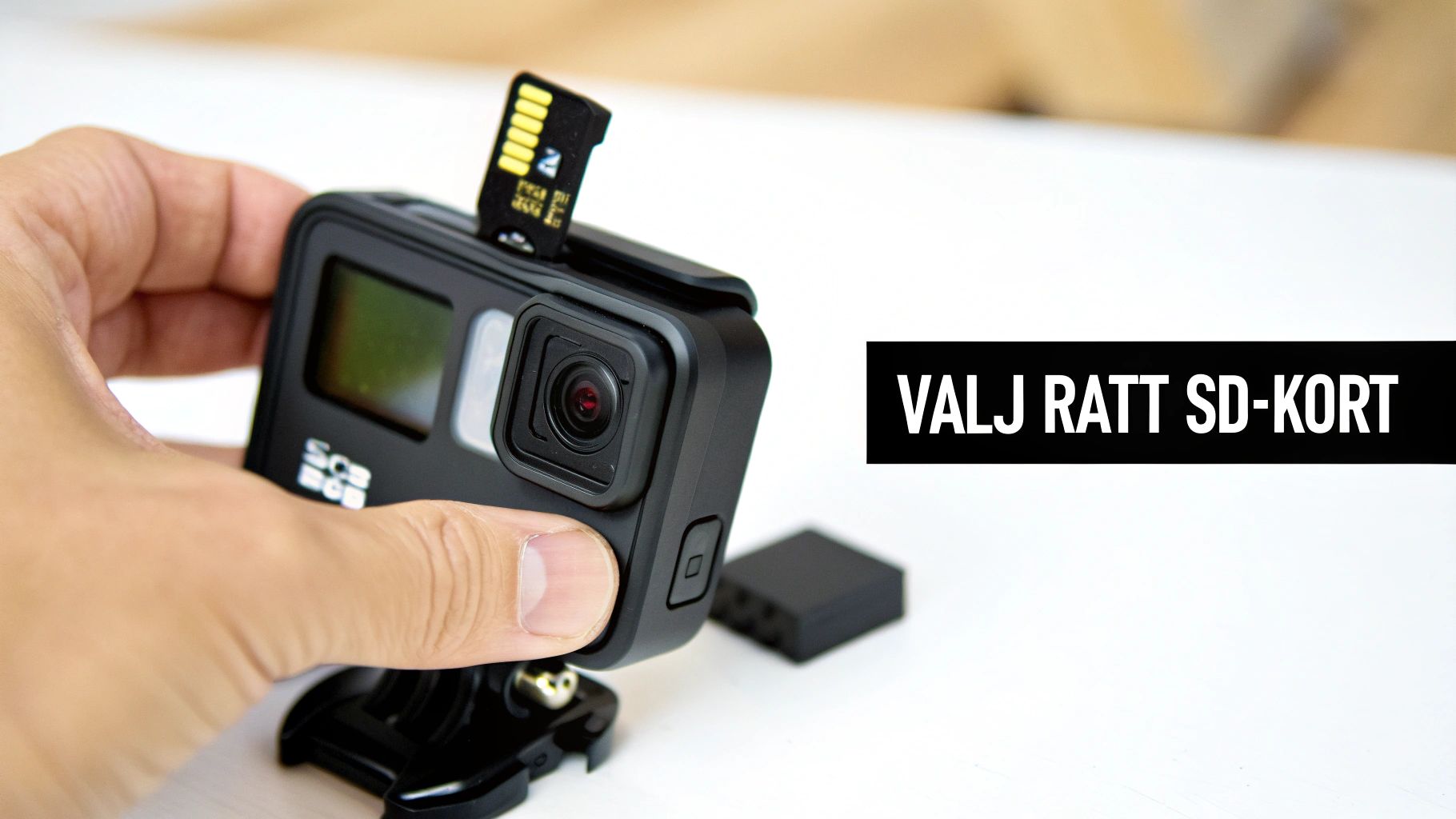
What you need to know
When filming in high resolutions like 4K, one thing is more important than anything else: write speed. A U3 or V30 rating guarantees a minimum write speed of 30 MB/s, which is an absolute must for modern cameras from manufacturers like GoPro and DJI.
In fact, over 70 percent of all GoPro users in the Nordic region choose microSD cards with a UHS-I U3 rating to ensure peak performance. A card with a V30 label easily handles write speeds up to 100 Mbps, making it perfect for drones like the DJI Mini or Avata during fast flights.
Think of the speed class as a highway for your data. A V30 card is a wide, three-lane highway that lets 4K video traffic flow freely. A slower card is like a narrow country road where data quickly gets stuck in a queue, resulting in choppy or corrupted recordings.
Quick guide for choosing the right memory card
To make things even clearer, we've put together a simple table. Use it as a cheat sheet to quickly find the right card based on your intended use.
Quick guide for choosing the right memory card
| Application | Recommended Card Type | Minimum Speed Class | Typical Capacity |
|---|---|---|---|
| GoPro & Action Camera (4K) | microSDXC | U3 / V30 | 128GB - 256GB |
| DJI Drone (4K) | microSDXC | U3 / V30 | 64GB - 256GB |
| Insta360 (5.7K 360°) | microSDXC | U3 / V30 | 128GB - 512GB |
| Full HD Recording | microSDHC / microSDXC | U1 / V10 | 32GB - 128GB |
An excellent all-around choice suitable for most modern action cameras and drones is, for example, a reliable 256GB Samsung microSD EVO Plus, which provides both the speed and space you need for long days of filming.
Understand the differences between memory cards
Choosing the right SD card for your camera can feel like a jungle of abbreviations and technical terms. But it's easier than you think. The key is to break it down into a few simple steps to avoid wrong purchases and ensure you select a card that works perfectly with your equipment.
The very first thing to look at is the physical size. This is the most obvious difference but also the most common trap. Your GoPro or DJI drone almost always uses a small and compact microSD card. A DSLR or video camera, on the other hand, usually has a slot for a standard SD card. They are simply different sizes and won't fit into each other's slots, so check this first.
SDHC vs SDXC – what does it actually mean?
Once you know the size you need, it's time for the next abbreviations: SDHC and SDXC. These letters are only about one thing: how much data the card can store.
Think of them as different-sized storage boxes:
- SDHC (Secure Digital High Capacity): This is the smaller box. These cards hold up to 32 GB.
- SDXC (Secure Digital eXtended Capacity): This is the significantly more spacious variant. Here we're talking from 64 GB all the way up to several terabytes.
The difference is crucial for whether the card will work in your camera at all. An older camera, manufactured when only SDHC boxes existed, simply cannot handle the newer and larger SDXC boxes. It doesn't understand the modern file system (exFAT) they use. If you put a 128 GB SDXC card into a device that only supports SDHC, you'll likely just get an error message.
A good rule of thumb is that newer cameras, especially those filming in 4K, almost always require SDXC cards to handle the massive video files. Always double-check your camera's manual to see the maximum capacity it supports.
Getting these basics right is essential, whether you're looking for a full-size SD card or a small one. For those curious about the smaller cards, we have a complete guide where you can learn everything you need to know about microSD cards.
It's all about a simple three-step process. Start with the correct physical size (SD or microSD). Then check which capacity standard (SDHC or SDXC) your device supports. Once you have those two parts settled, you're ready for the next vital piece – the speed – to ensure your card doesn't become a bottleneck for your creativity.
Decoding the speed symbols
Okay, now you know the physical type and size of the SD card for your camera. It's time to dive into what truly determines if you get that perfect, stutter-free video recording: speed. This is where all the small symbols like U3 and V30 on the card come into play, and they are more important than you might think.
They aren't just random letters and numbers – they are performance guarantees.
Imagine you're filming a fast bike race in 4K. Your camera is pushing out enormous amounts of data every second. A slow memory card becomes like a narrow country road during rush hour; data gets stuck, a queue forms, and the recording starts to stutter or shuts down entirely. A fast card, instead, is a wide, multi-lane highway where all data flows freely without the slightest issue.
That is exactly what the speed symbols tell you – how wide a highway you are buying.
UHS and Video Speed Class
To make it easier for us, the industry has created two standards you should know: UHS Speed Class and Video Speed Class. Both measure the card's minimum guaranteed write speed, which is the most critical number when filming.
- UHS Speed Class (U): Recognized by the number inside a "U". U1 guarantees a minimum write speed of 10 MB/s, while U3 guarantees at least 30 MB/s.
- Video Speed Class (V): This is a more modern standard, created specifically for high-resolution video. The symbol "V" is followed by a number that directly indicates the minimum write speed. V30 means 30 MB/s, V60 means 60 MB/s, and so on.
For those filming with a GoPro, DJI drone, or Insta360 in 4K, the rule is simple: always choose a card with at least U3 and V30. These two markings guarantee that the card can handle the heavy data stream without breaking a sweat.
This diagram shows how different card standards relate to each other, from physical form to storage capacity.
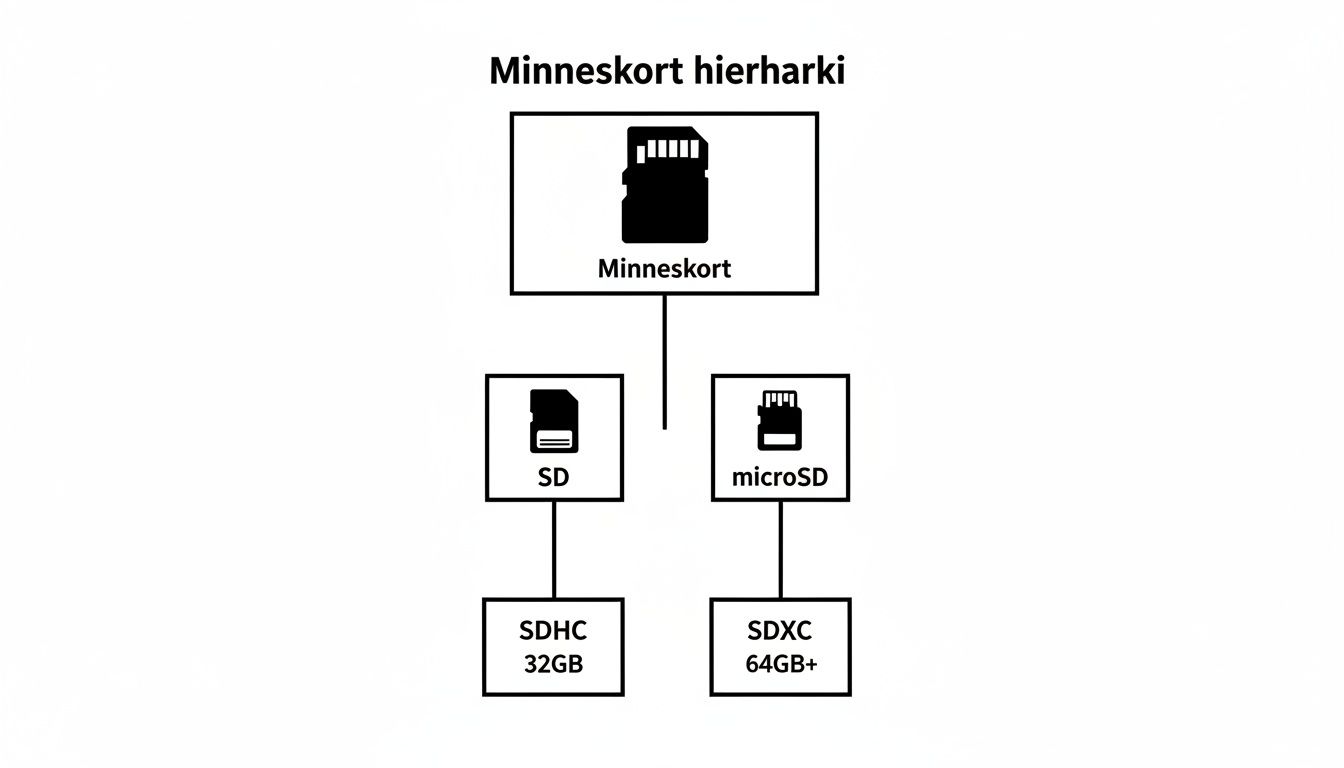
The hierarchy clearly shows that both SD and microSD cards are divided into SDHC and SDXC categories based on their storage space.
Which class do you need?
Matching the right speed with your camera and filming style is crucial. A V30 card is the golden standard for almost all modern action filming in 4K and covers most needs.
However, if you're aiming higher and plan to film in 6K, 8K, or heavy professional formats, you might need to step up to V60 or even V90.
Here is a quick overview to help you choose the right one.
Comparison of speed classes for memory cards
The table below provides a simple overview of the most common classes and what they are best suited for.
| Symbol | Speed Class | Minimum Write Speed | Suitable For |
|---|---|---|---|
| U1 / V10 | UHS Class 1 / Video Class 10 | 10 MB/s | Full HD (1080p), high-resolution still images |
| U3 / V30 | UHS Class 3 / Video Class 30 | 30 MB/s | 4K video (60/120 fps), 360 video, action sequences |
| V60 | Video Class 60 | 60 MB/s | 6K/8K video, professional video formats (ProRes) |
| V90 | Video Class 90 | 90 MB/s | Highest quality 8K video, RAW video recording |
By understanding what these symbols mean, you can confidently choose a card that not only fits your camera but is also powerful enough to capture your adventures in the quality they deserve.
Ultimately, choosing the right SD card for your camera is about giving yourself the best chance to succeed.
Choose the right storage capacity for your needs
Okay, you've got the type and speed for your SD card for your camera sorted. Now remains one last, but equally important, question: how much storage space do you actually need? The answer isn't always "as much as possible," but depends entirely on the adventures you're going on. It's about finding a smart balance between convenience, safety, and your budget.
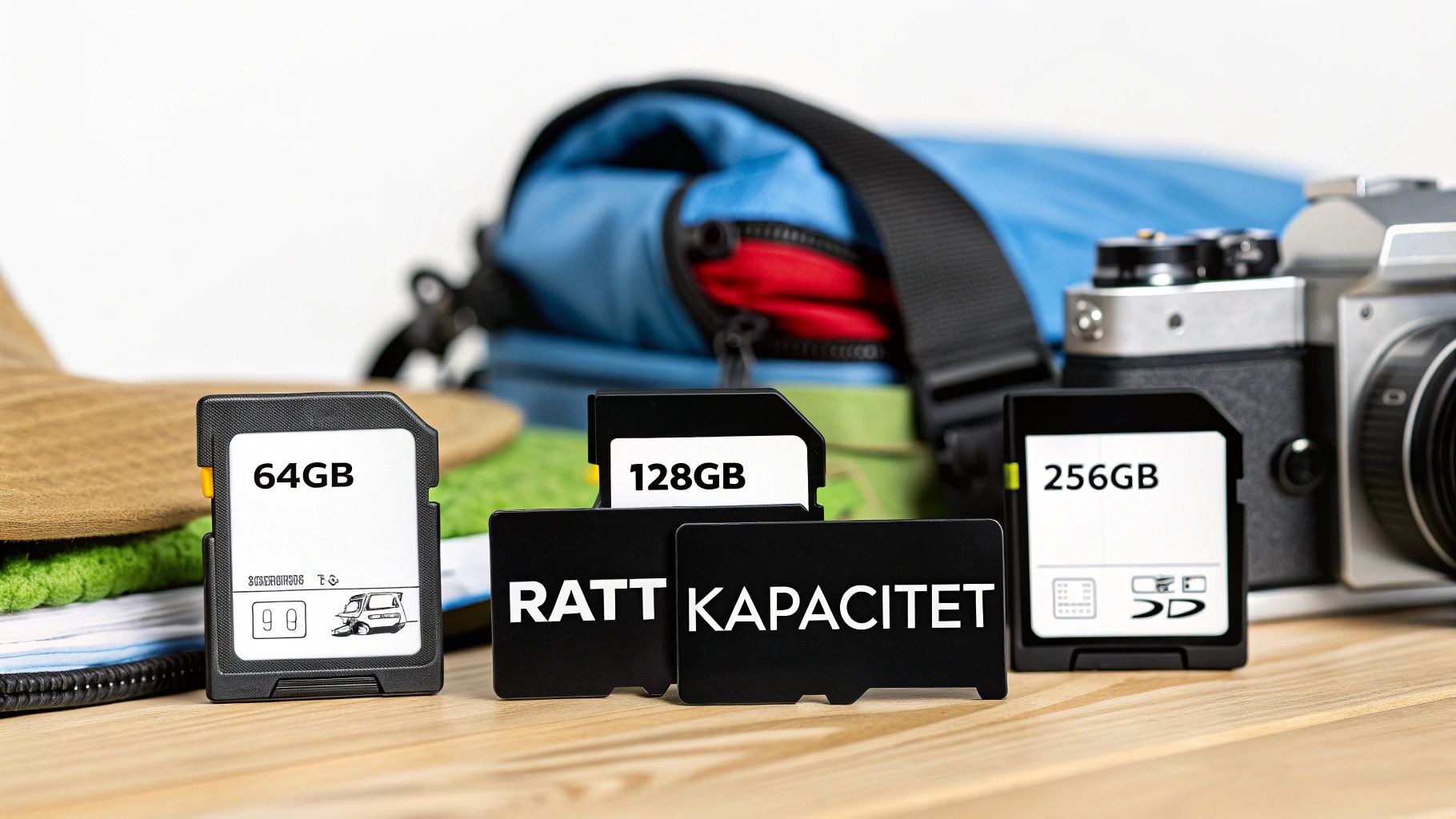
Many instinctively think that bigger is better, but there's a risk in putting all your eggs in one basket. While it's convenient to have one giant card, what happens if it breaks, gets lost, or is stolen? Then all the footage from your entire trip disappears at once.
A smarter strategy might be to use several smaller cards. This way, you spread the risk. If one card fails, you at least have the recordings from the others.
How much can the cards hold in practice?
To make things more concrete, let's translate gigabytes into actual recording time. These figures are approximate since camera settings play a big role, but they provide an excellent guideline.
Estimated recording time in 4K (30 fps):
- 64 GB: Holds about 1–1.5 hours of video. Perfect for a day of drone flying or shorter excursions.
- 128 GB: Gives you about 2–3 hours to play with. This is an excellent all-around choice covering an entire day's adventure.
- 256 GB: Here you can fit as much as 4–6 hours of video. Ideal for that week-long ski trip or when you know you won't be able to empty the card for a while.
Consider how you actually use your camera. Are you planning a week-long ski trip with your GoPro, filming several hours every day? Then a larger 256 GB card, or perhaps even a spacious Samsung EVO Plus 512GB memory card, is a very wise choice. For a day of drone flying, 64 GB or 128 GB is usually more than enough.
A smart budget alternative
Need plenty of storage but don't want to break the bank? There's a growing market for used accessories worth checking out. For drone pilots with a DJI Mavic or Mini, a used 128 GB V30 card can be a great solution. You can save up to 300 SEK compared to a new one, while the card easily handles demanding 4K slow motion. Read more about the growing used market for photography accessories and see how you can grab a real bargain.
How to take care of your memory cards
An SD card for your camera is so much more than just a piece of plastic and electronics. It's your digital treasure chest, the place where all your valuable moments and hard work are stored. Caring for your cards isn't just about protecting a gadget—it's about securing your memories. With a few simple habits, you can extend the life of your cards and minimize the risk of a digital disaster.
The most important rule, and a common mistake many make, is to always format the card in the camera it will be used in. Sure, it's fast to do it on a computer, but every camera model has its unique way of structuring files. By formatting directly in the camera, you ensure the file structure is perfectly adapted, which drastically reduces the risk of write errors and corrupt files when it matters most.
Protect your cards from hazards
Memory cards are surprisingly tough, but they're not immortal. They are sensitive to physical damage, moisture, and that invisible enemy: static electricity. Just tossing a card loosely into a pocket or a compartment in your camera bag is asking for trouble.
Always store your cards in a protective case. This doesn't just protect the sensitive contact points from dirt and scratches; it also prevents the card from being bent or snapped in your pocket.
Think of your memory cards like rolls of film from the old days. You would never let an unprotected roll of film rattle around with keys and coins. Treat your digital "film rolls" with the same respect.
A really smart investment for anyone shooting or filming in the field is a rugged waterproof 12-in-1 memory card storage case. It keeps your cards safe from bumps and bad weather. Also, remember that regular backing up is your best insurance policy—never wait until the card is full; transfer your files as soon as you get the chance.
Recognize the signs of a worn-out card
No memory card lasts forever. They have a limited lifespan and gradually wear out the more you use them. Learning to recognize a card that is starting to fail can save you from losing invaluable material during an important shoot or recording.
Keep an eye out for these warning signs:
- Files disappearing: Photos or video clips suddenly become unreadable or are gone entirely.
- Camera freezes: Recording is interrupted, and the camera locks up completely.
- Slower performance: It takes noticeably longer than usual to save files.
If you experience any of this, it's time to retire the card. It's a small cost to replace a worn memory card compared to the grief of losing photos or films that can never be recreated.
Avoid the most common buying mistakes
Choosing the wrong SD card for your camera is more than just annoying; it can be a costly lesson. But by knowing the most common pitfalls, you can easily steer clear of them and make a smart choice from the start.
One of the absolute most common mistakes is getting blinded by the big, enticing number on the packaging. Manufacturers love to advertise the maximum read speed, like "up to 170 MB/s", because that number is almost always the highest. It certainly looks impressive, but for those of you filming, it's a completely different number that actually matters.
Write speed is your best friend
When your camera records video, it's the write speed that determines if the card can keep up. This is the speed at which the card can save all the data the camera outputs in real-time. If the write speed is too low, the recording will jitter, stop suddenly, or in the worst-case scenario, result in corrupted files.
Therefore, always look for symbols like U3 or V30. These guarantee a minimum promised write speed of 30 MB/s. That number is your true performance guarantee, not the flashy number on the front.
Beware of counterfeits
Another serious trap is falling for unrealistically cheap deals from unknown sellers on large marketplaces. Unfortunately, the market is flooded with counterfeit memory cards that look genuine but actually have significantly lower capacity and speed than promised.
A pirated card can look and feel exactly like the original, but under the surface hides substandard technology that risks ruining your valuable recordings. Always make sure to buy from authorized retailers to be certain you are getting a genuine product.
To avoid these problems, follow this simple advice:
- Prioritize write speed: Focus on the U and V ratings, not the large read speed figure.
- Buy from trusted sources: Choose established stores or the brand's official retailers.
- Check the packaging: Genuine products have high-quality printing and often feature a hologram.
- Test the card immediately: As soon as you receive the card, use a program to verify that the actual capacity and speed match the specifications.
By being aware of these mistakes, you can feel confident in your purchase and instead focus your energy on what you love – creating amazing photos and videos.
Common questions about SD cards for your camera
Here we've gathered some of the most common questions that arise when it's time to choose an SD card for your camera. The idea is to give you quick and direct answers so you can feel completely secure in your choice.
Can I use the same card in multiple devices?
Absolutely! It's usually perfectly fine to move a microSD card between, say, your GoPro and your DJI drone. Most modern action cameras and drones use the same card format, making it incredibly flexible.
The main thing is to ensure the card meets the speed requirements for the most demanding device you own. A great habit is to always reformat the card in the device you've just inserted it into. This optimizes the file system for that specific camera and reduces the risk of compatibility issues or annoying write errors.
What do I do if the camera says the card is damaged?
That feeling is never pleasant. Panic is a common first reaction, but try to stay calm and work methodically. The first thing you should do is remove the card from the camera and plug it into a computer using a reliable card reader.
If the computer recognizes the card, priority number one is to immediately copy all your photos and videos to a safe location. Once everything is rescued, you can try performing a full format of the card on the computer. If even the computer can't read the card, specialized data recovery software may be a last resort, though unfortunately, there are no guarantees.
To avoid this stress, preventive maintenance is key. Always format a brand-new memory card directly in the camera before you take your very first picture. This prepares the card perfectly for that specific camera.
Are expensive premium cards really worth the money?
For moments you absolutely cannot afford to miss, or for professional assignments, the answer is almost always a resounding yes. A premium card like a SanDisk Extreme Pro or Samsung PRO Plus is about more than just guaranteed high speeds.
These cards are built to take a beating. They are often waterproof, shockproof, and can handle extreme temperatures, from freezing cold to scorching desert heat. For the hobbyist photographer, a standard card might work just fine, but when filming 4K video in demanding environments, a premium card provides invaluable security and reliability.
At ActionKing, you'll find one of the Nordic region's largest selections of tested and reliable memory cards and accessories for your camera. Explore our range at https://actionking.se and find the right gear for your adventures.


